











































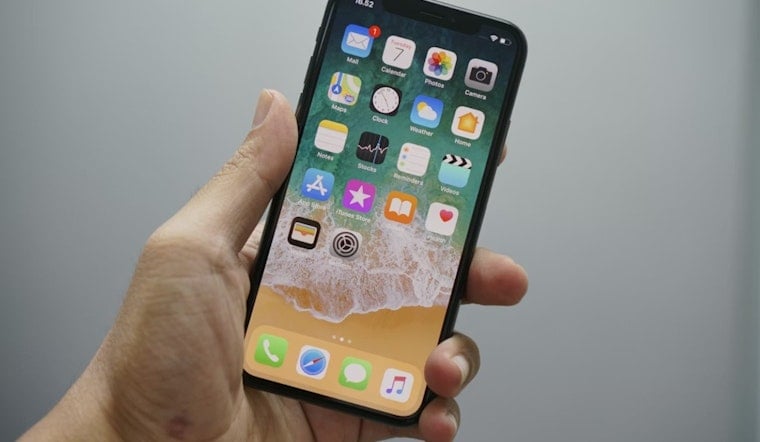
Apple quietly rolled out iOS 26.4.2 last Wednesday, billing it as a one-line security fix that sounded easy to ignore. It was not. The update closes a bug that could leave notification previews sitting on a device even after they were deleted, an issue that surfaced when court reporting showed investigators pulling message snippets from a seized iPhone. For anyone who cares about keeping messages private, from reporters and activists to everyday texters, the move now is simple: make sure your iPhone is updated.
According to Apple Support, the patch addresses a "logging issue" in Notification Services (CVE-2026-28950) and improves data redaction so deleted alerts are not unexpectedly retained. Apple lists the update as available for iPhone 11 and later, along with several iPad models.
How Investigators Reportedly Mined Old Notifications
Courtroom notes first publicized by 404 Media describe FBI testimony that agents were able to pull incoming Signal message previews from an iPhone's push-notification database even after the app itself had been deleted. That revelation pushed Signal and privacy advocates to press Apple for a fix and appears to be what led to this out-of-band update.
How To Get The Patch On Your Phone
You can install iOS 26.4.2 by going to Settings > General > Software Update on your iPhone. 9to5Mac and other outlets report that Apple recommends installing the update right away. Apple also released parallel patches, iOS 18.7.8 and iPadOS 18.7.8, for older hardware, so people using earlier models should check for updates too. Coverage notes that the download is relatively modest, so the install should be quick for most users, and local explainers such as Daily Voice have been walking readers through the basics.
Signal's Take And Immediate Precautions
Signal said on X that it was "very happy" Apple shipped a fix and confirmed that once the patch is installed, "all inadvertently-preserved notifications will be deleted," according to coverage of the post. The company also reminded users they can avoid having previews logged at all by setting Notification Content to "No Name or Content" inside the app's settings, per ABC News.
Quick Privacy Settings To Check Right Now
If you want to cut down on what a lock screen reveals in the future, you can change how iOS shows previews. On iPhone, go to Settings > Notifications > Show Previews and choose "When Unlocked" or "Never." You can also change per-app notification content inside privacy-focused apps like Signal. Tech outlets have step-by-step walk-throughs with screenshots for people who like a visual guide, according to TechCrunch.
Why This Is Bigger Than Signal
Any app that shows message text in push alerts, from WhatsApp to SMS to third-party chat clients, could leave similar traces if you allow previews, so this was never just a Signal problem. Security outlets and forums note that the issue exposed an operating system-level gap, where app encryption does not control every copy of your content, per MacRumors.
Legal And Forensic Fallout
The case that sparked this patch highlights a basic forensic reality: once investigators have physical access to a device and a legal order, low-level artifacts on that device can often be harvested and used in court. The vulnerability is cataloged as CVE-2026-28950 in national vulnerability databases, and it is fixed in the updates listed above, according to NVD.
Bottom line, it is worth checking both your Software Update screen and your notification preview settings. The patch closes the specific hole Apple identified, and it is a timely reminder that privacy depends on both the apps you choose and the operating system running underneath them.