




















































Scammers are quietly hijacking the names and logos of hundreds of well-known companies, then blasting slick social-media ads at users, including in Cleveland, to trick them into installing bogus apps that are really just shortcuts to online casinos, researchers say.
Instead of sending people to legitimate app stores, the ads push fake Google Play pages or home-screen “installs” that are actually Progressive Web Apps, or PWAs, dressed up to look like trusted brands. Tap the ad, tap “install,” and you end up with what appears to be a real app icon on your phone. Under the hood, though, it simply opens a browser window and drops you on a gambling site.
As reported by Cleveland.com, NordVPN’s Threat Intelligence unit says the operation has copied more than 400 established brands and used polished ad campaigns to sell fake Google Play listings. Those pages were padded with phony star ratings and thousands of fabricated reviews, all tailored to make the “apps” look as safe and familiar as anything you would find in a real app store. According to NordVPN, once users land on these pages, they are prompted to add a shortcut to their device’s home screen that carries the impersonated brand’s name and logo.
How the scam works
Security firm Netcraft traced the full ad pipeline: a paid Facebook or Instagram spot leads to a scam-controlled landing page that mimics a Google Play listing or a slick brand promotion page. The big “Install” button does not send you to the real Play Store, it spins up a PWA instead.
Netcraft found bogus developer names, inflated download counters and scripted, glowing reviews, all tuned to pass a quick sniff test. Buried in the setup is affiliate tracking code that routes paying users to casino sites, where deposit activity can be monetized. The result is a thin browser wrapper that behaves like a native app on your phone while quietly delivering customers to third-party gambling platforms.
According to Netcraft, the entire model looks built for speed and quick affiliate payouts, not long-term app distribution or repeat customers.
The list of brands caught up in this campaign reads like a who’s who of the internet: Adobe Acrobat, Google Authenticator, Disney+, Delta Air Lines and Airbnb are among those impersonated, Cleveland.com notes. NordVPN’s researchers say the operation is global in reach and not limited to household names, with smaller companies also dragged into the mess.
As Cleveland.com reports, NordVPN CTO Marijus Briedis warned that “criminals take the credibility that legitimate companies have spent years building and redirect it toward their own ends.” In other words, the scam leans heavily on brands’ hard-earned trust so users will not think twice before tapping “install.”
What you can do
Security experts say one simple rule can save you a lot of trouble: do not install apps straight from social-media ads. Instead, search for the app yourself in Google Play or the Apple App Store, then double-check the developer name and real download counts before you install anything.
Researchers at Netcraft and elsewhere recommend a quick cleanup if you suspect you installed one of these fakes. Long-press the suspicious home-screen icon and delete it, clear your browser’s site data, and revoke any permissions the page or shortcut might have requested, such as notifications or access to payment information.
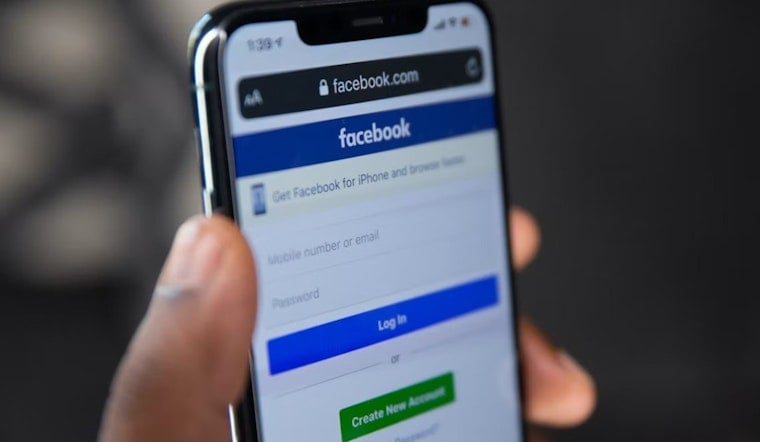
For steps on reporting impersonation attempts and fraudulent pages to the platform, see the Facebook Help Center. Blocking site notifications, turning on two-factor authentication for your accounts, and contacting your bank if you shared payment details can help limit any immediate damage.
Platforms say they are trying to clamp down on this kind of activity. Meta has described legal moves and technical measures it is using to disrupt scam advertisers, including suspending payment methods linked to fraud and sharing information on takedowns with partners. In a February post, Meta said user reports of suspicious ads help speed up enforcement and that the company is investing in tools to detect cloaking and other deceptive ad tactics.
If you believe you lost money or entered payment information after installing one of these fake shortcuts, contact your bank right away. You can also file a complaint with the Federal Trade Commission or with the FBI’s Internet Crime Complaint Center. Keep screenshots of the ad, the fake Play page, and any confirmation emails or texts, since investigators use those digital breadcrumbs to connect affiliate networks and take down related sites.
Local consumers who spot suspicious ads are urged to report them to the platform and consider filing a police report if money was stolen. Even one report, investigators say, can help unravel a larger scam.