
























































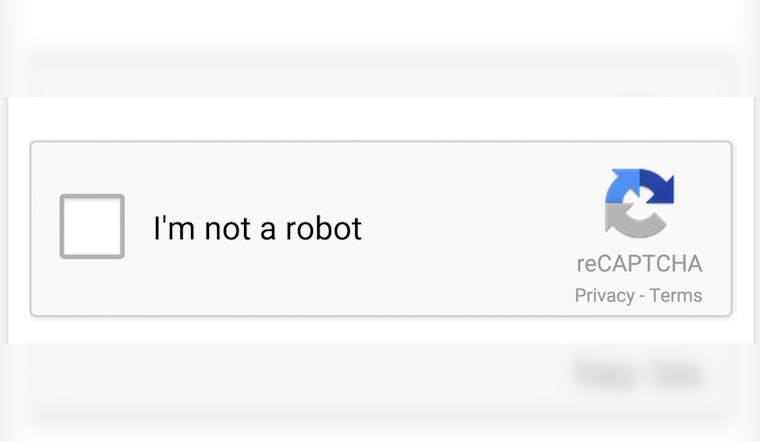
Cybercriminals are hitting Windows users with a slick new browser scam that dresses itself up as a normal CAPTCHA check, then quietly walks victims into installing information-stealing malware. The booby-trapped web pages tell people to enter a short sequence of keyboard commands that opens the Windows Run box and fires off a hidden script, often without the usual download pop-ups that would tip off a wary user. Security researchers say recent attacks are dropping an infostealer called StealC, which can grab saved passwords, browser cookies, email logins, cryptocurrency data and even screenshots.
How the fake CAPTCHA trick works
According to Identity Theft Resource Center, the scam hinges on a fake verification step. The bogus page shows what looks like a standard CAPTCHA, but instead of asking you to click traffic lights, it tells you to press the Windows key + R, then hit Ctrl+V and Enter. Following those instructions, the ITRC warns, opens a hidden command box, pastes a malicious script from the clipboard and runs it, all while looking like a routine system step to an unsuspecting user.
What StealC harvests
A technical analysis by LevelBlue finds that StealC relies on a multi-stage, mostly fileless infection chain that injects itself into legitimate Windows processes, then sends stolen data back to attacker-controlled servers. Researchers report that StealC goes after browser login databases, Outlook and Steam credentials, cryptocurrency wallet files and screenshots captured from the compromised machine.
Under the hood
Security analysts at Malwarebytes explain that the fake pages use JavaScript to quietly copy an obfuscated PowerShell or mshta command to the victim's clipboard. When the user follows the on-screen instructions and pastes into the Run dialog, that command pulls down and executes a remote loader. Because everything runs through the Windows Run box rather than a standard browser download, this chain can dodge some browser security warnings and leave relatively few traces on disk.
Why it's spreading
Infostealers are evolving quickly, and ITPro notes that StealC has been sold since 2023, with an evasive version 2 update landing in March 2025 that added fresh delivery and obfuscation options. That ongoing technical refinement, combined with malvertising and compromised websites that funnel visitors into these fake CAPTCHA flows, is helping social-engineering chains like this one land more victims.
What to do if you followed the steps
If you went along with the keyboard prompts, the ITRC recommends disconnecting the PC from the internet immediately and running a full antivirus scan on that device. You should also change any potentially exposed passwords from a different, clean device and keep a close eye on bank and credit accounts for suspicious charges. The consumer alert was summarized by WBAL on March 27, 2026.
Bottom line: never paste or run commands just because a web page tells you to, and turn on multi-factor authentication for important accounts to limit the damage if credentials are stolen. If you suspect you have been hit, follow recovery steps from trusted security organizations and reach out to identity-protection resources for one-on-one help.